WhatsApp & Telegram Voice Messages with AI: My Setup
When I'm driving, I can't type. But my AI assistant still sends me updates — as voice messages in my own voice. Here's how I set up ElevenLabs for automatic voice messages.
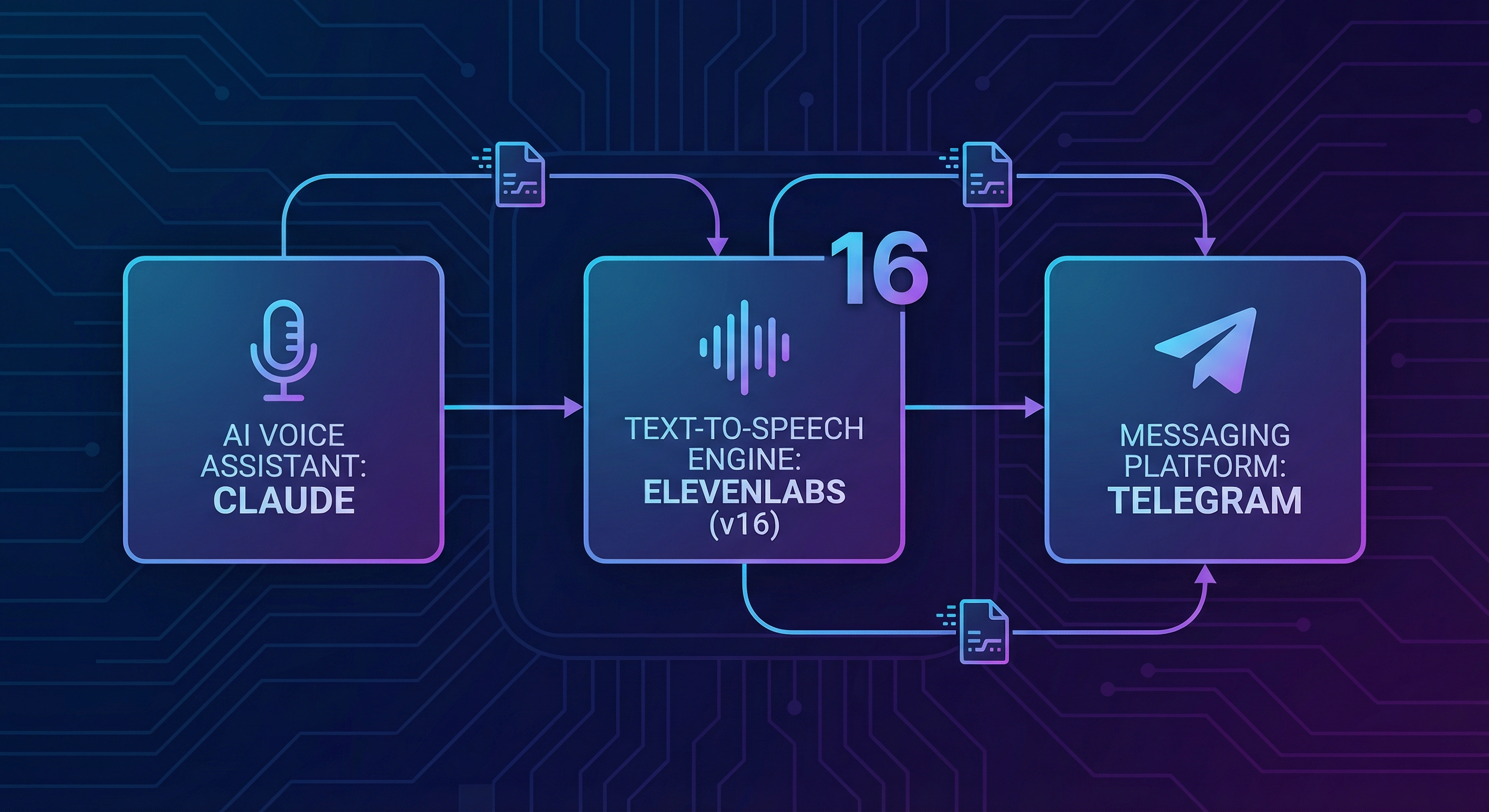
The Vision: Proactive Voice Messages
Imagine your AI assistant automatically informs you about important events — not as text, but as natural voice messages. It's not just more practical while driving, it also feels much more personal.
What my setup does:
- Sends me a daily briefing as a voice message (appointments, weather, important emails)
- Notifies me of urgent events
- Responds to my voice messages with voice messages
- Uses my cloned voice — feels like a conversation with myself
The Components
- ElevenLabs Account: For text-to-speech synthesis
- Messaging Integration: Telegram Bot API or WhatsApp Business API
- Orchestration: n8n, Make, or custom code
- Optional: Voice clone for personalized voice
Step 1: Set Up the ElevenLabs API
First you need API access at ElevenLabs:
- Sign up and choose at least the Starter plan ($5/month for 30,000 characters)
- Go to "Profile" → "API Key" and copy your key
- Note the Voice ID of your desired voice (found in the Voice Library)
API Test with curl
curl -X POST "https://api.elevenlabs.io/v1/text-to-speech/VOICE_ID" \
     -H "xi-api-key: YOUR_API_KEY" \
     -H "Content-Type: application/json" \
     -d '{"text":"Hello, this is a test.", "model_id":"eleven_multilingual_v2"}' \
     --output test.mp3
Step 2: Create a Telegram Bot
Für Entscheider im Mittelstand
Vom KI-Interesse zum kontrollierten ersten Pilot.
Im AI-Agenten Blueprint Sprint priorisieren wir Ihren ersten Einsatzfall und definieren Datenzugriffe, Freigaben, Verantwortlichkeiten und einen 30-Tage-Plan.
Telegram is easier to set up than WhatsApp:
- Open Telegram and search for "@BotFather"
- Send
/newbotand follow the instructions - You'll receive a bot token — keep it safe
Telegram bots send voice messages as OGG (Opus). ElevenLabs delivers MP3, so you need conversion:
# Convert with ffmpeg
ffmpeg -i input.mp3 -c:a libopus output.ogg
Step 3: Automation with n8n
n8n is an open-source automation tool perfect for this use case.
Workflow Overview
- Trigger: Scheduled (cron) or event-based (webhook)
- Generate text: Create the message with OpenAI or your own prompt
- TTS: Send text to ElevenLabs API, receive audio file
- Convert: MP3 to OGG for Telegram
- Send: Voice message via Telegram Bot API
Step 4: WhatsApp Integration (Alternative)
WhatsApp is more complex but often preferred for business:
- Option A: WhatsApp Business API — Official, requires business verification, per-message costs, reliable
- Option B: WhatsApp Web Gateway — Unofficial but easier, tools like Baileys or whatsapp-web.js, risk of account suspension
For personal use, I recommend Telegram — it's developer-friendlier with fewer restrictions.
Step 5: Voice Clone for Personalization
The secret sauce: Generate voice messages in your own voice.
- Record 3-5 minutes of your voice (clear, no background noise)
- Upload the sample to ElevenLabs Voice Lab
- Choose "Professional Voice Cloning" for best quality
- Use the new Voice ID in your automation
The result: Your AI assistant speaks with your voice. Surreal, but incredibly useful.
Practical Use Cases
Daily Briefing
Every morning at 7:00 AM — today's appointments, important emails, weather forecast.
Urgent Notifications
Real-time alerts for important emails, calendar reminders, monitoring alerts.
Bidirectional Conversation
You send a voice message → Whisper API transcribes → GPT generates response → ElevenLabs converts to speech → Bot sends voice message back.
Cost Calculation
A typical voice message has 200-500 characters. With ElevenLabs:
| Scenario | Chars/Month | Plan | Cost |
|---|---|---|---|
| 1 briefing/day | ~15,000 | Starter | $5/month |
| + 5 alerts/day | ~60,000 | Creator | $22/month |
| Heavy use | ~200,000 | Pro | $99/month |
Conclusion: Your Personal Voice Assistant
With ElevenLabs, a messaging bot, and some automation, you have an assistant that proactively communicates with you in your own voice. This isn't science fiction — I use this setup daily.
Setup takes about 2-4 hours. After that, everything runs automatically. For me, it's changed how I interact with my digital systems — less screen time, more hands-free usage.
🎙️ Start Your Voice Assistant
ElevenLabs provides the voices, you build the rest. The free trial is enough for a prototype.
Try ElevenLabs free →Für Entscheider im Mittelstand
Vom KI-Interesse zum kontrollierten ersten Pilot.
Im AI-Agenten Blueprint Sprint priorisieren wir Ihren ersten Einsatzfall und definieren Datenzugriffe, Freigaben, Verantwortlichkeiten und einen 30-Tage-Plan.
Tags
About the Author

Jan Koch
KI Experte, Berater und Entwickler. Ich helfe Unternehmern und Entwicklern, KI effektiv einzusetzen - von der Strategie bis zur Implementierung.
Related Articles
I'm Building a Fully AI-Powered Company. Here's the Plan.
16 AI agents. 50,000 automated tasks per week. And I'm documenting the entire journey — every win, every failure, every lesson.
5 min
50,000 Tasks Per Week: How We Built an AI Agent Team That Never Sleeps
While everyone's still debating whether AI is 'really that good,' our AI agents handle 50,000 tasks per week for a single client. Here's what's actually happening — and why you should pay attention.
5 min
ElevenLabs Tutorial for Beginners: From Signup to Pro
New to ElevenLabs? This tutorial walks you through everything from signing up to creating your first professional voice-over.
5 min