ElevenLabs Tutorial for Beginners: From Signup to Pro
New to ElevenLabs and want to get started? Here's your complete beginner tutorial — from signing up to creating your first professional voice-over. I'll walk you through every step with practical tips.
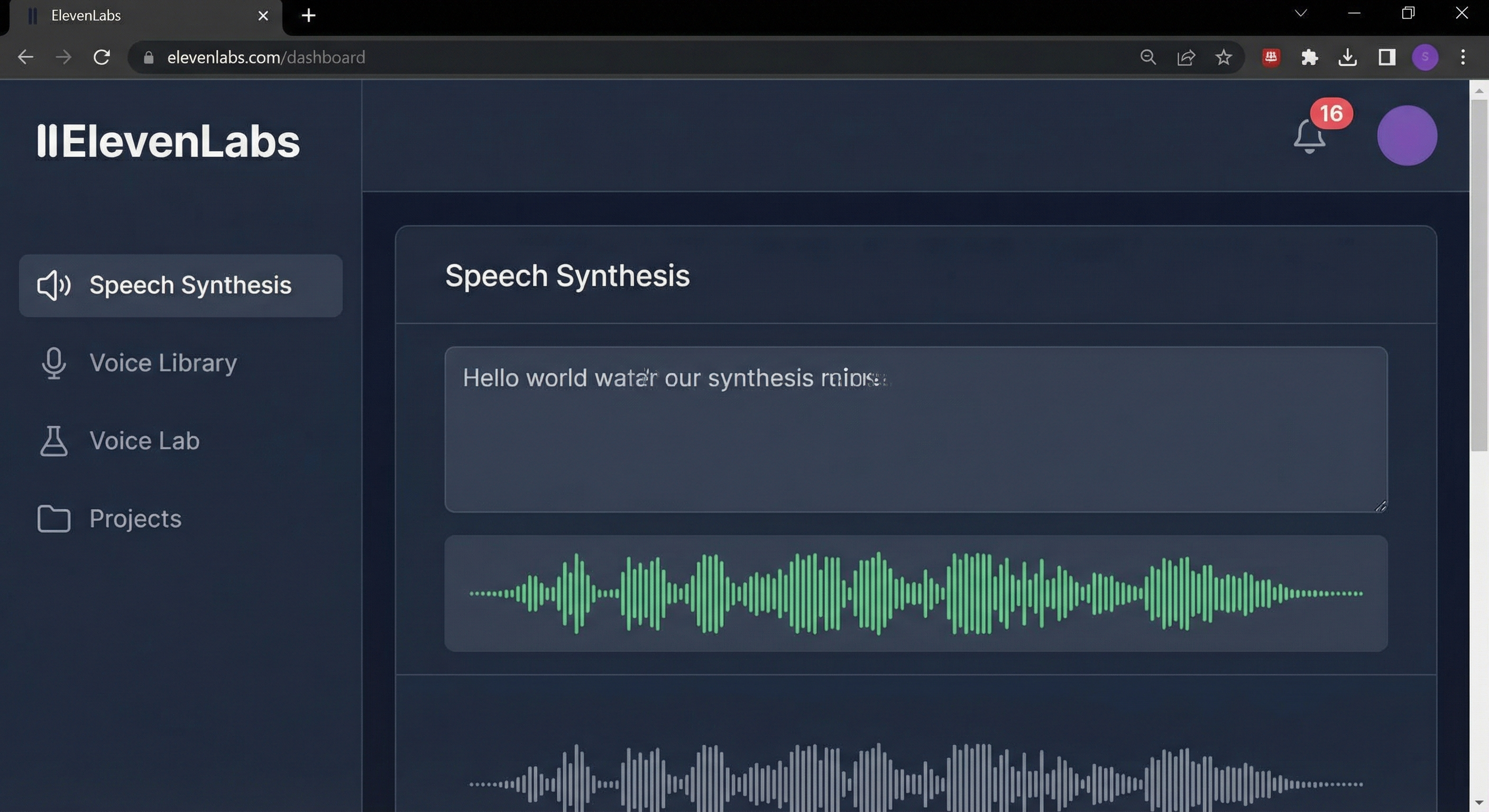
What Is ElevenLabs?
ElevenLabs is an AI platform for text-to-speech that generates realistic human voices. Unlike older TTS systems, these voices sound natural, with emotions, pauses, and intonation like real speakers.
Key Features:
- Text-to-Speech: Convert any text into spoken audio
- Voice Cloning: Clone your own voice or licensed voices
- Voice Design: Create entirely new voices from descriptions
- Dubbing: Automatically translate videos while preserving voice characteristics
- API: Integrate TTS into your own applications
Step 1: Create an Account
Signing up is simple and free:
- Go to elevenlabs.io
- Click "Sign Up" in the top right
- Choose Google, GitHub, or email registration
- Confirm your email address
- You'll automatically start on the free plan
Tip: The free plan includes 10,000 characters per month — enough for about 10-15 minutes of audio. That's plenty for testing and smaller projects.
Step 2: Getting to Know the Interface
After logging in, you'll see the dashboard. Here's an overview of the key areas:
Speech Synthesis (Text-to-Speech)
The main area for text input. Enter your text, choose a voice, see a preview, and adjust settings.
Voice Library
Here you'll find:
- Default Voices: Pre-installed, high-quality voices in various languages
- Community Voices: Voices created and shared by other users
- My Voices: Your own cloned or designed voices
Projects
For longer texts like audiobooks or courses. Split text into chapters and narrate consistently with one voice.
Dubbing
Upload a video and have it automatically translated into other languages — with voices that resemble the original.
Step 3: Create Your First Voice-Over
Für Entscheider im Mittelstand
Vom KI-Interesse zum kontrollierten ersten Pilot.
Im AI-Agenten Blueprint Sprint priorisieren wir Ihren ersten Einsatzfall und definieren Datenzugriffe, Freigaben, Verantwortlichkeiten und einen 30-Tage-Plan.
Now let's get practical:
- Go to "Speech Synthesis" in the left menu
- Choose a voice: Click the dropdown and try different ones. For English texts, I recommend "Rachel" or "Josh"
- Enter your text: Write or paste your text into the input field
- Adjust settings:
- Stability: Higher = more consistent, lower = more variation
- Clarity + Similarity: Higher = clearer, but less natural
- Style: Intensity of emotional expression
- Click "Generate": After a few seconds, you'll hear the result
- Download: If you're happy, download the MP3 file
Step 4: Better Results Through Text Optimization
Output quality depends heavily on input quality. Here are my best tips:
Use Punctuation Strategically
- Commas: Short pause
- Periods: Longer pause
- Ellipsis (...): Dramatic pause
- Exclamation marks: More emphasis
- Question marks: Rising intonation
Spell Out Numbers and Abbreviations
Instead of "$5,000" write "five thousand dollars." Instead of "e.g." write "for example." The AI reads more naturally this way.
SSML for Power Users
ElevenLabs partially supports SSML (Speech Synthesis Markup Language) for precise control over pauses, emphasis, and speed.
Step 5: Try Voice Cloning
One of the most powerful features of ElevenLabs is Voice Cloning:
Instant Voice Cloning
- Go to "Voice Lab" → "Add Voice"
- Choose "Instant Voice Cloning"
- Upload an audio sample (at least 30 seconds, ideally 1-3 minutes)
- Name and describe the voice
- The voice is immediately available in your Voice Library
Tips for Good Samples
- Quality over length: 1 minute of clean audio beats 5 minutes with noise
- No background noise: Quiet environment, no echo
- Speak naturally: Don't read — talk as you normally would
- Mix emotions: Include both neutral and emotional passages
Step 6: Projects for Longer Content
For audiobooks, courses, or longer texts, use the Projects feature:
- Go to "Projects" → "Create New Project"
- Enter a name and choose a default voice
- Import your text (TXT, EPUB, PDF supported)
- Text is automatically split into paragraphs
- Generate each paragraph individually and refine as needed
- Export everything as one continuous MP3
Advantage: You save characters by correcting individual paragraphs instead of regenerating everything.
Best Voices for Beginners
English
- Rachel: The classic, very natural
- Josh: Professional, great for business content
- Elli: Younger, energetic
German
- Freya: Clear, professional female voice
- Antoni: Pleasant male voice for explainers
- Bella: Warm, friendly voice for e-learning
Common Beginner Mistakes to Avoid
Mistake 1: Not Enough Pauses
Long texts without breaks sound rushed. Add paragraphs and pauses.
Mistake 2: Wrong Stability Setting
Too low = unpredictable. Too high = robotic. Start at 50% and experiment.
Mistake 3: Poor Quality Samples
For Voice Cloning, audio quality is essential. Invest in a decent microphone or use professional recordings.
Mistake 4: Not Previewing
Always generate a short section first and listen before processing the full text.
Saving Characters and Costs
On the free plan, characters are limited. Here's how to save:
- Shorten text first: Fewer characters = less usage
- Use Projects: Fix individual paragraphs instead of regenerating everything
- Format properly: Unnecessary spaces count too
- Avoid regeneration: Test settings first, then generate the long text
Next Steps After This Tutorial
- YouTube Voice-Over: Create a short explainer video with an AI voice
- Podcast Intro: Generate a professional intro
- Audiobook Chapter: Convert a blog article into audio
- Clone Your Voice: Create a voice clone for future projects
Conclusion: Easy Start, Unlimited Possibilities
ElevenLabs makes professional speech synthesis accessible to everyone. With this tutorial, you have everything you need to get started. The rest is practice and experimentation.
My tip: Start small. Create a short voice-over first, then work your way up to longer projects. The learning curve is gentle, and the results will surprise you.
🎯 Ready for Your First Voice-Over?
Sign up for free and create your first professional audio in 5 minutes.
Start free now →Für Entscheider im Mittelstand
Vom KI-Interesse zum kontrollierten ersten Pilot.
Im AI-Agenten Blueprint Sprint priorisieren wir Ihren ersten Einsatzfall und definieren Datenzugriffe, Freigaben, Verantwortlichkeiten und einen 30-Tage-Plan.
Tags
About the Author

Jan Koch
KI Experte, Berater und Entwickler. Ich helfe Unternehmern und Entwicklern, KI effektiv einzusetzen - von der Strategie bis zur Implementierung.
Related Articles
ElevenLabs Tutorial for Beginners: From Zero to Pro
A complete guide to ElevenLabs. From creating your first voice to cloning your own voice. Step by step.
4 min
The Future of Text-to-Speech: What's Coming in 2026 and Beyond
AI voices keep getting better. What's next? My predictions for TTS technology in the coming years.
5 min
ElevenLabs vs Murf vs PlayHT: The Ultimate Comparison 2026
Which text-to-speech service is the best? I compare ElevenLabs, Murf AI, and PlayHT on quality, price, and features.
3 min